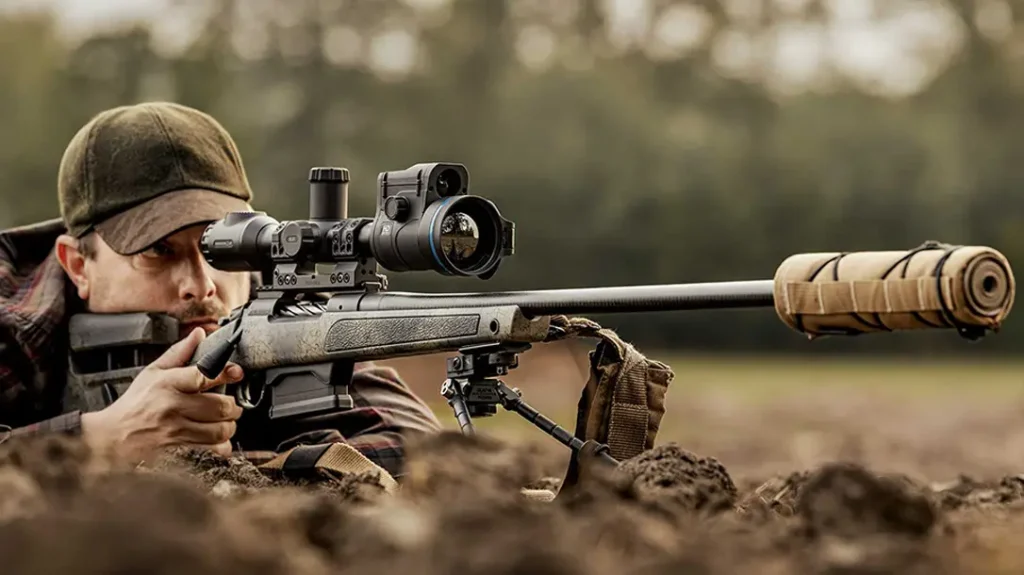
When you decided to get into ammunition reloading, you probably didn’t picture your cell phone as a useful tool. Instead, you probably thought of presses, shiny brass, bags of powder, and perhaps a magnifying glass to inspect your meticulously crafted cartridges. And while those are all good tools for reloading, your phone has access to something more complex. Reloading apps can track components, log shooting sessions, and analyze performance data to optimize the reloading process.
Reloading ammunition is an art in precise measurements. There are crucial it of information that matter, such as how many precious grains of powder to lovingly deposit into that casing. Or what the perfect overall length of your finished round should be. And how do these delicate measurements dance and change with different bullet weights and types?
Once you’ve painstakingly determined all that, it’s off to the range, where you’ll need to capture another crucial piece of data: the speed at which your magnificent creation hurtles downrange. This velocity data is the key to understanding how your bullet will succumb to the relentless pull of gravity over various distances.
You could go full Luddite and tackle this with a pen, paper, and enough mental math to make a rocket scientist weep. Or, you could embrace the future, the glorious, technology-led, app-filled future. Believe me when I say the app is the way to go. Unless you enjoy carpal tunnel and the scent of perpetually smudged lead on your paperwork.
Advertisement — Continue Reading Below
The Hodgdon App: Your Digital Data Oracle
When it comes to figuring out powder charges, case lengths, and all that intricate load data, look no further than the Hodgdon Reloading app. For those of you who are, let’s say, “more experienced” (and by that, I mean old enough to remember rotary phones), you probably recall the pilgrimage to your local firearms store to snag the latest reloading manual. It was a perfectly valid excuse to oogle new firearms that might “accidentally” find their way into your safe. But let’s be honest; realizing your newfangled bullet or powder wasn’t in your current manual at the last minute was a royal pain.
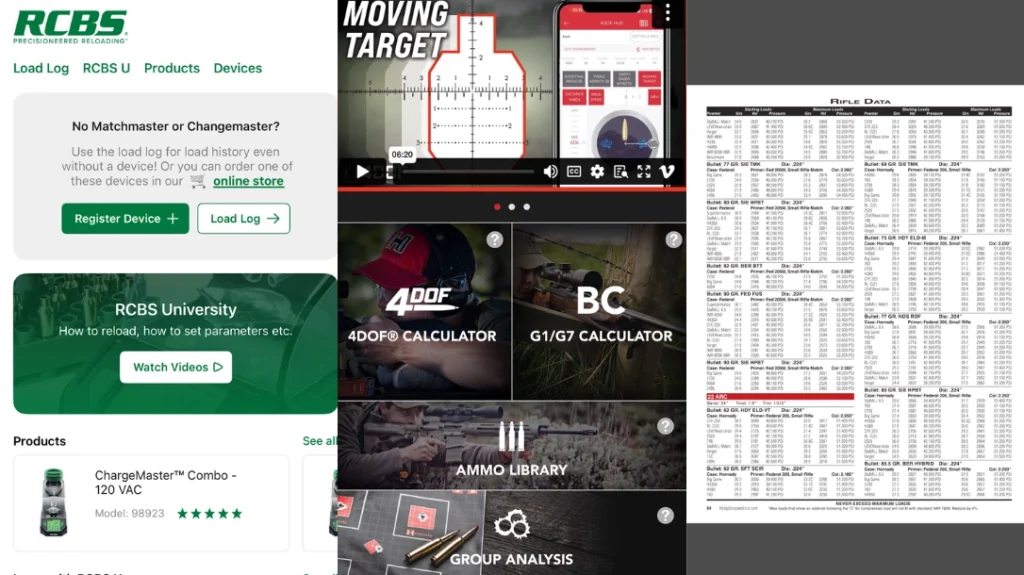
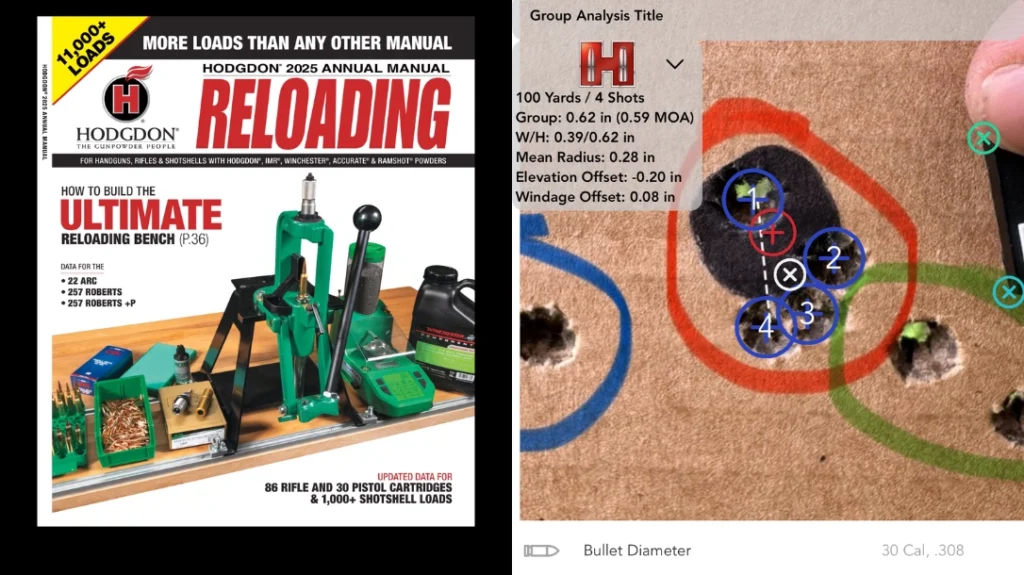
The Hodgdon Reloading app is a technological marvel. It’s free to download, and then you can purchase specific reloading manuals digitally. I splurged on the 2025 manual for a mere $12.99. The best part? I now have my entire reloading library in my pocket, ready to consult at a moment’s notice. This 2025 manual alone boasts over 11,000 load data points, complete with start and max loads, powder weights for various powder types, expected velocity, and even pressure data. Plus, they throw in valuable context like the barrel length, twist rate, and trim length used to achieve their data. For each bullet type, you also get descriptions of the casing, primer, and cartridge overall length (COL).
Why am I such a fan? Two big reasons: first, the search function is a godsend. No more flipping through hundreds of pages to find the caliber you’re loading for. Just type it in and boom, instant data. Second, I can screenshot and print any data I want in a physical copy. Because sometimes, even we tech-savvy reloaders still appreciate a good piece of paper.
The RCBS App: Your Digital Load Log
Now that you’ve got your load data locked down, you need somewhere to store it. For this, I heartily recommend the RCBS app, specifically its “load log” option. This feature lets you save all the reloading data you’re using, and even better, you can attach a picture! I’m a fan of snapping a pic of my group size and the rifle itself – a little visual memory to go with the numbers.
The data you can input into the load log is so extensive that I could probably dedicate an entire paragraph just listing it all. But let’s stick to the highlights: you can log the name of the gun, bullet weight, powder charge, group size, primer, case type, velocity, and so much more. Seriously, if it’s data you’d ever want to know about your handloads, the RCBS app has a spot for it. Another neat trick: the RCBS app lets you convert your entered data into a PDF that you can save to your device. I personally like to save my load data to a Dropbox folder, so it’s accessible from anywhere. Because you never know when you’ll need to impress your friends with your meticulously documented reloading journey.
Advertisement — Continue Reading Below
The Hornady App: Plotting Your Projectile’s Path
Now that you have consulted the Hodgdon app for your load info and meticulously entered it into the RCBS app, it is time to hit the range and get that crucial chronograph (velocity) data. If you’re new to reloading, here’s a pro tip: load 5-10 rounds at different powder charges, staying well within the safety parameters listed in your manual, of course. You might think you’re wasting components, but by varying your charges, you’ll uncover the best load for your rifle, optimizing for accuracy and velocity.
After I’ve gathered my velocity data, I love to use the Hornady app to plot the bullet drop. This lets me balance the velocity I’m aiming for with the group size I’m getting. Ultimately, I’m chasing that sweet spot: the best speeds that produce the smallest groups and the lowest standard deviations. Once you plug in your rifle’s zero distance, bullet velocity, scope height, and barrel twist, the Hornady app will spit out the scope adjustments necessary to make impacts at various distances. I primarily shoot from 0 to 1,000 yards, so the app’s firing solutions, which range from 0 to 1,100 yards, are my bread and butter. Just remember, these firing solutions are a starting point; always confirm them at the range and then adjust the data in the app to fine-tune your scope adjustments.
Your Digital Reloading Checklist
So, here’s your homework assignment:
- Head to your phone’s app store and download the Hodgdon Reloading, RCBS, and Hornady apps.
- Start inputting your existing data. This will create a long-term record, allowing you to compare it with future reloading adventures.
- Once you have your velocity data and generate the firing solutions using the Hornady app, it’s time to hit the range and confirm their accuracy. I personally love using steel targets with Caldwell flashbangs to get that satisfying visual confirmation from a distance (after I’ve confirmed zero, of course, because multiple hits on steel can make it challenging to pinpoint exact impacts). For initial zeroing, Caldwell Gen 2 Orange Peel Sight In targets are my go-to – they have built-in measurement lines and those bright orange peels make hits easy to spot, even from afar.
Bottom Line on Apps for Reloading
Now, I can hear some of you “crusty fellas” grumbling, “Back in my day, we didn’t have fancy smartphones and applications! We had grit and know-how!” And you’re absolutely right on those points. However, when new technology can simplify your life, provide better data, and deliver it faster, when exactly is that a bad thing? You’re certainly not obligated to use these newfangled contraptions. But if you’re even a little bit into smartphones and apps, there’s nothing quite like entering a few data points, having precise firing solutions generated in seconds, and then consistently smacking steel at all sorts of distances with surprising ease. Another huge benefit? These apps let you generate all kinds of valuable data by simply plugging in different data points and turning your phone into a miniature ballistics lab. Go forth, reload, and embrace the digital age of projectile perfection.
Advertisement — Continue Reading Below